Time Tracking Software for Employees: Features, Benefits & Pricing in India
· 6 min read
- Time Tracking
- Workforce Management
- Remote Work
- Productivity
- Employee Monitoring
- Attendance
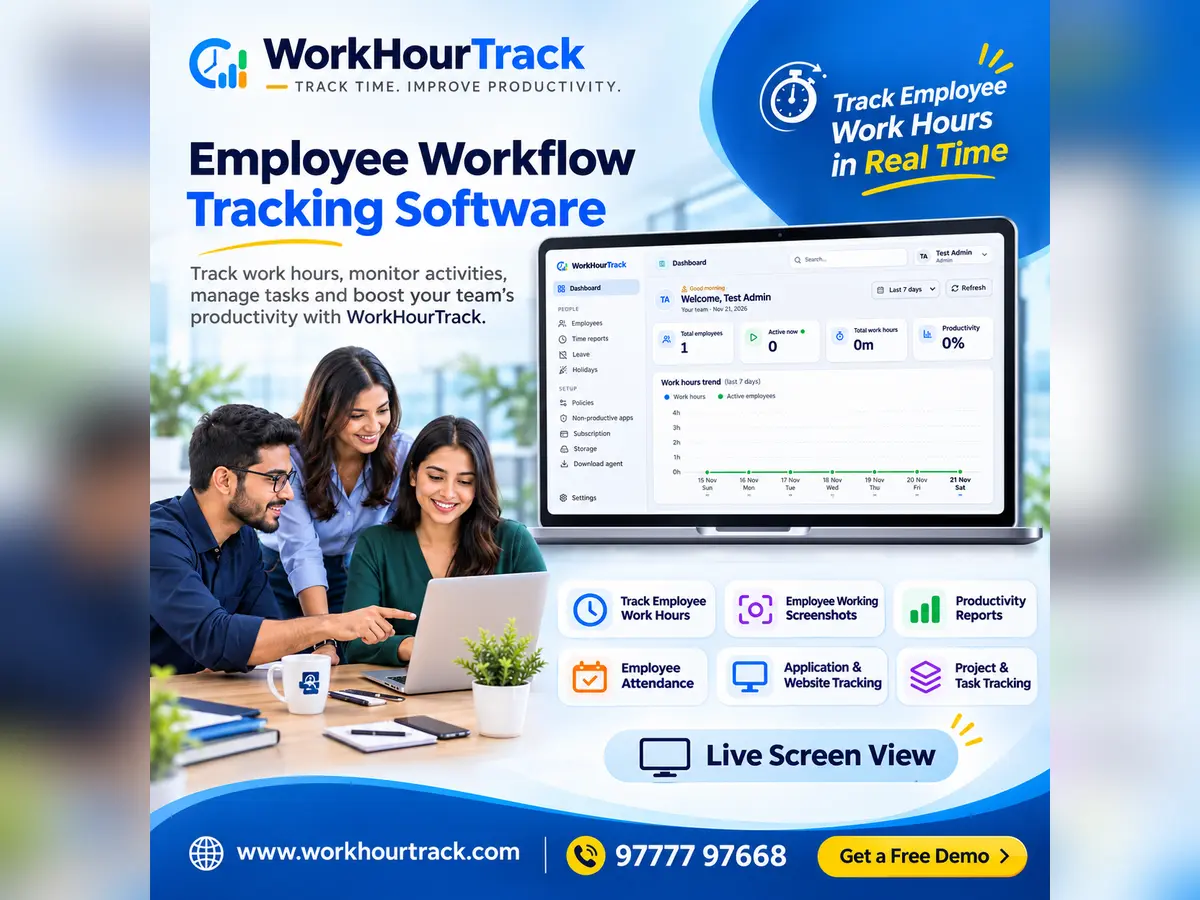
Time tracking software for employees records the hours your team works, matches them to attendance and turns them into reports, so payroll and client invoices use real numbers instead of guesses. Instead of a spreadsheet filled in from memory on Friday, a small desktop app tracks working time automatically.
This guide explains how it works, the benefits, the features worth paying for, what it costs in India, and how to choose a tool your team will actually use.
What Is Time Tracking Software for Employees?
Time tracking software for employees records how many hours each person works, and often what they worked on. There are two common methods:
- Manual timesheets. Employees start a timer or type their hours in at the end of the day or week.
- Automatic tracking. A desktop app runs in the background and records working time, idle time and breaks, with nothing to remember.
Manual timesheets are fine for a very small team. As a team grows, people forget, round up and fill in a whole week at once. Automatic tracking is more accurate and takes less effort from everyone.
How Automatic Time Tracking Works
Setting up automatic time tracking is quick. With WorkHourTrack, the steps are:
- Create a workspace and add your employees.
- Install the desktop app on each computer and sign in with a work email.
- The app starts recording working hours, idle time and breaks.
- Managers see the hours in the dashboard and in daily and weekly reports.
Each employee reads and accepts a notice describing what is collected before tracking starts, and the app shows when it is running. You can see the whole flow in the how it works section of our homepage.
Benefits of Time Tracking Software for Employees
- Accurate payroll. Hours come from the work itself, so there are fewer corrections and disputes at the end of the month.
- Less admin. Nobody has to chase timesheets or add up spreadsheets before each pay cycle.
- Better billing. Agencies and IT teams that bill by the hour can tie time to projects and stop losing unbilled hours.
- Clear attendance. You can see who has started, who is on a break and who is on leave without calling around.
- Visibility for remote teams. When people work from home or in different cities, tracked hours show the shape of the day. Our guide to time tracking for remote teams covers this in more depth.
Features to Look For
You do not need every feature on a pricing page. These are the ones that matter most:
- Working hours. A clear split between active time, idle time and breaks, with the option to correct genuine mistakes.
- Attendance. Check-in and check-out times, live status (active, idle, offline) and leave in one dashboard.
- Timesheet-style reports. Hours per employee, day by day, with export to CSV for payroll and invoices. This can replace manual timesheets.
- Project and task tracking. Hours tied to projects, with billable and non-billable time kept apart.
- Productivity reports. Worked hours against the standard day, so you can see who is on target. Read which productivity numbers matter before you pick metrics.
- Windows and Mac support. Important if your team uses a mix of computers.
Browse the full list in the features section of our homepage.
Time Tracking Software for Employees Pricing in India
Most tools charge per user, per month. WorkHourTrack's published plans are:
- Starter, ₹150 per user per month: time tracking, attendance and basic reports.
- Professional, ₹250 per user per month: everything in Starter, plus screenshots, app and website tracking, project tracking and advanced reports.
- Business, ₹350 per user per month: everything in Professional, plus team management, custom roles and permissions, API access and priority support.
- Enterprise, custom pricing: self-hosted deployment, advanced security, custom integrations and dedicated support.
For example, a team of 20 on Starter is 20 × ₹150 = ₹3,000 per month. The same team on Professional is 20 × ₹250 = ₹5,000 per month. Check the current numbers in the pricing section before you decide, and ask any vendor for a free trial. WorkHourTrack offers 3 days, with no credit card needed.
How to Choose the Right Tool
Before you book a demo, answer these questions:
- How many employees will use it now, and in a year?
- Do you need only hours and attendance, or also project tracking?
- Do your people use Windows, Mac or both?
- Can employees see their own hours?
- Can you export reports for payroll and client invoices?
- How does the vendor store and protect your data?
Then run a trial with a small group. Our post on how to track employee work hours accurately is a useful checklist for the trial.
Common Mistakes to Avoid
- Keeping both systems. Running a spreadsheet next to the software doubles the work and hides which numbers are right.
- Skipping the conversation. Explain why you are tracking time, and share the policy before you switch anything on.
- Judging by one low day. Look at a week or a month, because one short day often has a good reason.
- Never reading the reports. If nobody looks at the data, you are paying for nothing.
Time tracking is generally acceptable in India when it is limited to work and transparent. For the legal side, read is employee monitoring legal in India. This is general information, not legal advice.
Final Thoughts
The best time tracking software for employees is not the one with the longest feature list. It is the one that gives you accurate hours and attendance, fits your budget and still leaves your team feeling respected.
WorkHourTrack tracks working hours, attendance, projects and productivity reports on Windows and macOS computers. Book a demo for a free trial and try it with your own team.
FAQs
What is time tracking software for employees? It is software that records how many hours employees work and on which tasks or projects. Many tools also include attendance and reports.
How does automatic time tracking work? A desktop app runs in the background after the employee signs in. It records working time, idle time and breaks, and the hours appear in the manager's dashboard and reports.
Can it replace manual timesheets? Yes. Hours are recorded as they happen, and reports show each employee's hours day by day, with CSV export for payroll or invoicing.
How much does time tracking software for employees cost in India? Most tools charge per user per month. WorkHourTrack plans start at ₹150 per user per month, with higher plans adding screenshots, app and website tracking and project tracking.
Does it work on both Windows and Mac? WorkHourTrack supports Windows computers and Macs, including Apple Silicon and Intel.
Is employee time tracking legal in India? Generally yes, when it is limited to work, transparent and handled responsibly. Take legal advice for your own case.