Employee Monitoring Software for Small Businesses: Features & Costs
· 7 min read
- Small Business
- Employee Monitoring
- Pricing
- Features
- Time Tracking
- Productivity
- Buyer's Guide
- Remote Teams
Employee monitoring software for small businesses should be simple to set up, fair to employees and priced per person, so a team of ten does not pay for features meant for a team of ten thousand. The right tool records work hours, active and idle time, attendance and, if you need it, apps and websites, then turns that into reports you can read in minutes. This guide explains which features a small business actually needs, how pricing usually works, what it costs for teams of 10, 25 and 50, and how to choose without overspending. For the wider picture, see our overview of employee monitoring software in India.
What small businesses need from employee monitoring software
Small teams do not need a complicated system. Most need answers to four questions:
- Who is working right now? A live view of who is online, idle or offline.
- Do paid hours match worked hours? Hours worked set against hours expected.
- Where does the time go? Active and idle time, and the apps and websites used.
- Can I trust the numbers? Data recorded automatically, with employees told what is collected.
If a tool answers these clearly, it covers most of what a team under 50 people needs.
Key features to look for
- Automatic time tracking. Hours should start and stop on their own, with active and idle time kept apart.
- Attendance and leave. Check-ins, late arrivals, holidays and leave requests in one place.
- Productivity reports. Daily and weekly reports for each person and each team, with CSV export for payroll.
- App and website tracking. Useful when you want to see where time goes. See our guide on how to track employee app and website usage.
- Screenshots on a schedule. Optional, and best used with clear consent and a sensible interval.
- Project and task time. Helps if you bill clients by the hour.
- Windows and Mac support. Remote and hybrid teams rarely use one type of computer. Read our guide to Windows and Mac employee monitoring software.
- Transparency tools. A consent notice before tracking starts, and an app that shows when it is running.
Features you may not need yet
- API access and custom roles, unless you have several managers or need to connect other systems.
- Self-hosting, which is mainly for large organisations with strict security rules.
- Advanced compliance and SLA terms, which matter more at enterprise scale.
Start with the basics and upgrade when your team grows.
How employee monitoring software is priced
Most tools charge per user per month, and plans are usually split into tiers by features. Basic plans cover time and attendance, middle plans add screenshots and app tracking, and higher plans add team controls and integrations.
Before you compare prices, check:
- Whether the price is per user or per team, and what counts as a user
- What each plan includes, since screenshots or app tracking may only be on higher tiers
- Whether taxes such as GST are extra
- Contract and refund terms, and whether you can cancel anytime
- Whether there is a free trial and whether it asks for a card
What employee monitoring software costs for teams of 10, 25 and 50
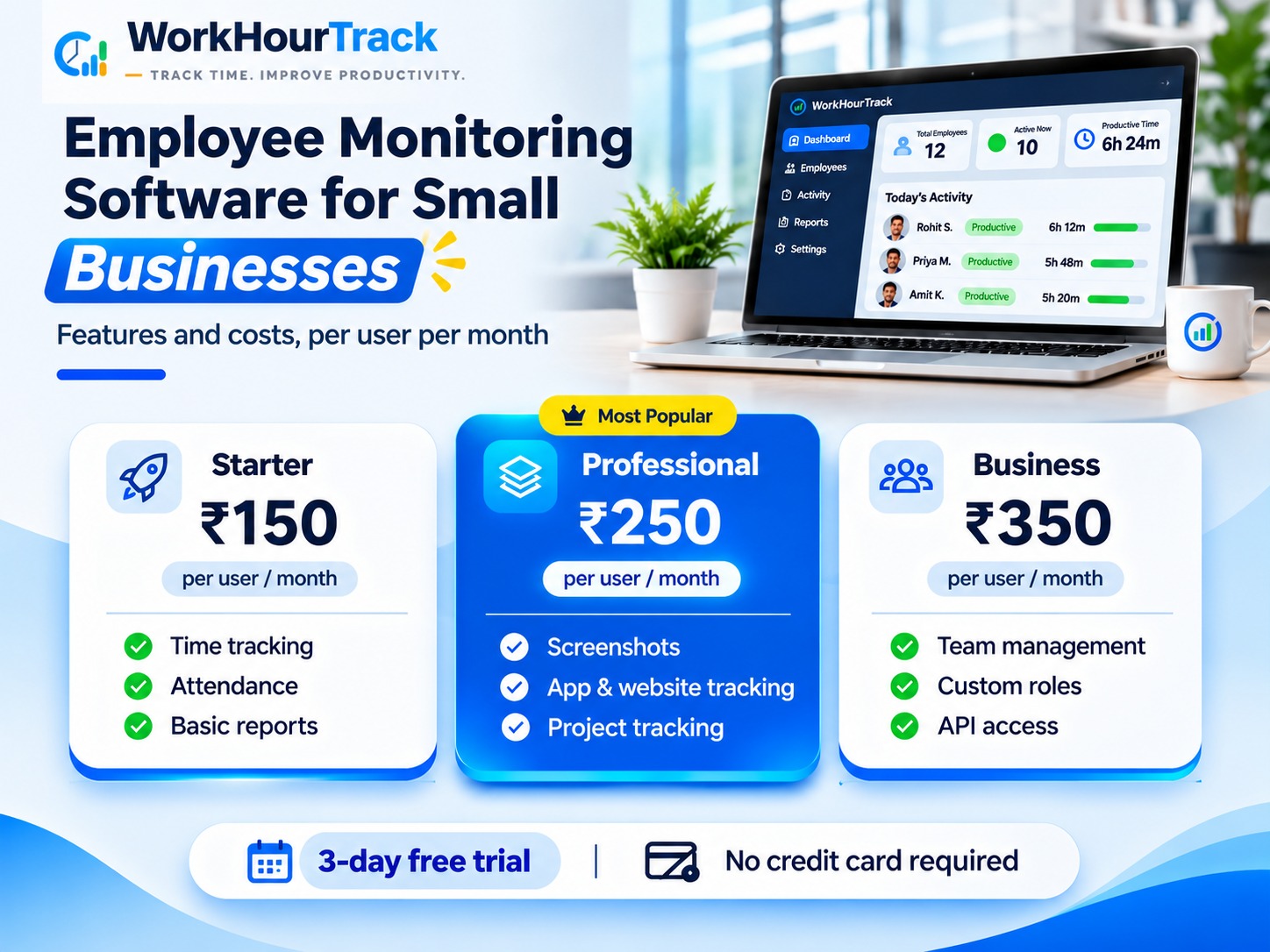
Using WorkHourTrack's published prices of ₹150, ₹250 and ₹350 per user per month, the monthly cost works out like this:
| Team size | Starter (₹150) | Professional (₹250) | Business (₹350) | |-----------|----------------|---------------------|-----------------| | 10 people | ₹1,500 | ₹2,500 | ₹3,500 | | 25 people | ₹3,750 | ₹6,250 | ₹8,750 | | 50 people | ₹7,500 | ₹12,500 | ₹17,500 |
These are before any taxes. Check the pricing section for current prices, since they can change.
Which plan suits which small business
- Starter suits teams that mainly need working hours, attendance and basic reports.
- Professional suits teams that also want screenshots, app and website tracking, project tracking and advanced reports.
- Business suits larger teams that need team management, custom roles and permissions, API access and priority support.
How to choose without overspending
- Write down what you want to learn. Hours, attendance, app use or project time.
- Pick the cheapest plan that covers it. You can move up later.
- Run a free trial with one team before rolling out to everyone.
- Check the computers your team uses, such as Windows and Mac.
- Read what the tool records, and prefer one that never records what is typed.
- Compare the real monthly cost for your team size, including taxes.
Keep monitoring fair and transparent
Cost is only part of the decision. Employees should be told what is tracked and why before tracking starts. The UK data protection regulator's guidance for employers says monitoring must be necessary, proportionate and open to workers. It is UK guidance, not Indian law, but it is a useful benchmark.
In India, the Digital Personal Data Protection Act, 2023 applies to employee data. Read our guide on whether employee monitoring is legal in India for the basics.
Common mistakes small businesses make
- Buying the biggest plan "just in case"
- Choosing a tool that does not support all your computers
- Not telling employees what is measured
- Judging people from one number, such as activity percentage. See active time vs idle time.
- Ignoring the free trial
How WorkHourTrack fits small businesses
WorkHourTrack is employee time tracking software that records active and idle time, attendance and productivity automatically.
- Simple pricing: ₹150, ₹250 and ₹350 per user per month, with a 3-day free trial, no credit card required, and cancel anytime.
- Live status and attendance: see who is online, idle or on leave.
- Reports: daily and weekly reports for each employee, with CSV export.
- Apps, websites and screenshots: available on the Professional plan and above, with screenshots taken on a schedule you set.
- Transparency: each employee accepts a notice before tracking starts, and only counts of key presses and mouse clicks are kept, never which keys were pressed.
- Admin mobile app: admins can check status, hours and reports from a phone.
See the full feature list, the homepage FAQ and the pricing section.
Frequently asked questions
What is the best employee monitoring software for small businesses?
The best one is the simplest tool that answers your questions about hours, attendance and productivity at a price that suits your team size. Run a free trial with one team before you decide.
How much does employee monitoring software cost for a small business?
Most tools charge per user per month. WorkHourTrack plans start at ₹150 per user per month, so a team of 10 on the Starter plan pays ₹1,500 a month before taxes.
Do small businesses need screenshots?
Not always. Screenshots help when you need to see what was on screen, but many teams are well served by hours, attendance and activity reports. If you use them, tell employees and set a sensible interval.
Is it legal for a small business to monitor employees in India?
It is generally lawful when it is work-related, limited to what you need and transparent to employees. Take legal advice for your situation.