How to Track Employee App and Website Usage at Work
· 6 min read
- App Tracking
- Website Tracking
- Employee Monitoring
- Productivity
- Privacy
- Productive Apps
- Remote Teams
- How-To
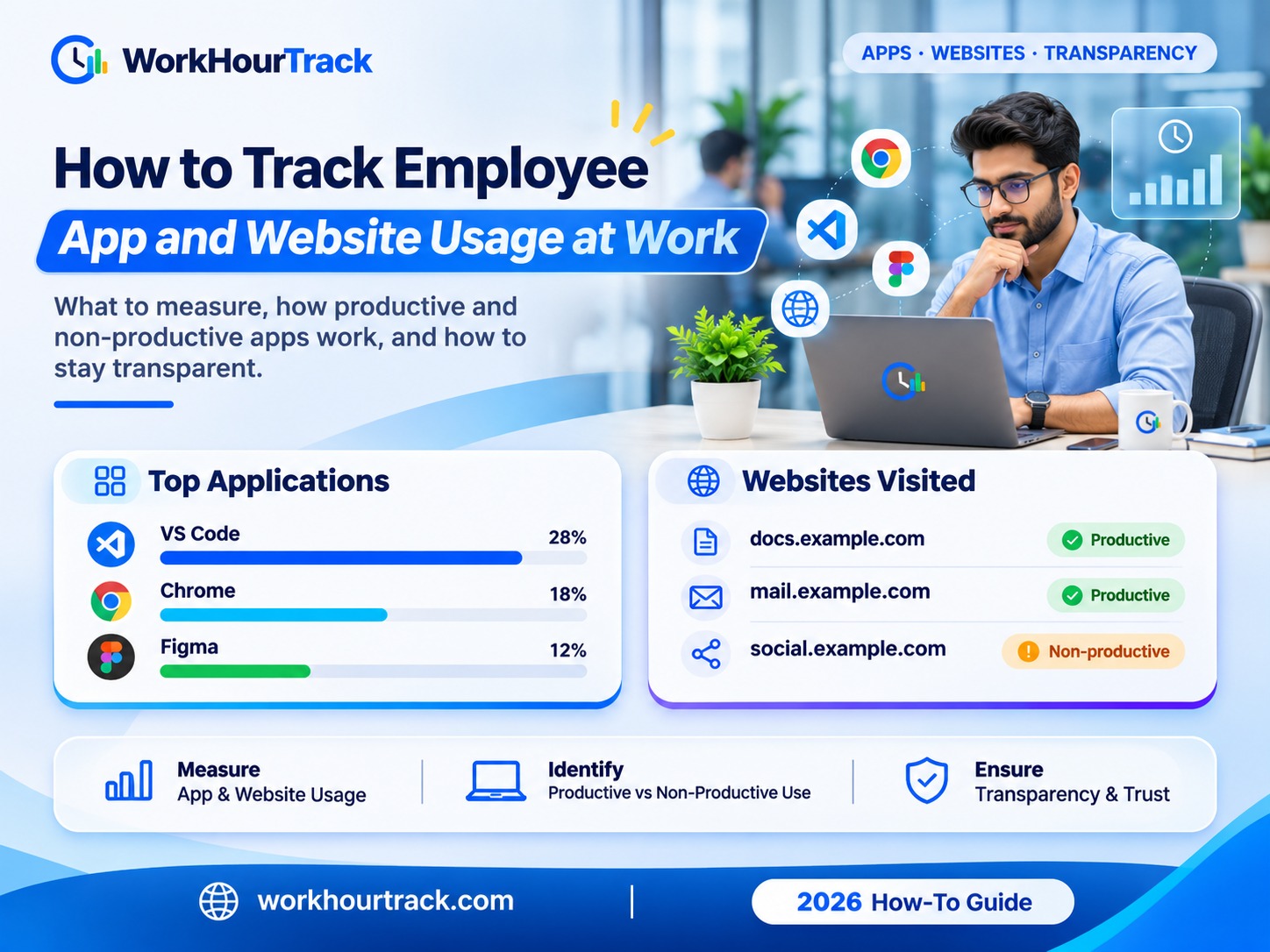
To track employee app and website usage at work, you record which applications and websites are used on work computers and for how long, then group them into productive and non-productive categories. Done well, it shows where time goes, helps managers coach their teams, and flags unapproved tools, without reading anything employees type. This guide explains what app and website tracking records, how to set it up step by step, how to decide what counts as productive, and how to stay transparent and fair. For the wider picture, see our overview of employee monitoring software in India.
Why track employee app and website usage?
- See where time goes. Reports show which tools and sites take up the working day.
- Coach, not guess. Managers can talk about real patterns instead of impressions.
- Spot tool needs. If a team lives in one app, that is useful for licences and training.
- Protect company data. You can see when unapproved apps or sites are used on work devices.
- Support remote teams. When no one shares an office, usage data adds context to working hours.
What app and website tracking records
- Applications: the app that was in use and how long it was active.
- Window titles (in some tools): a title can show what an app was used for, so check how your tool treats it.
- Websites: the sites visited in supported browsers, usually recorded as the site and page.
- Not recorded by good tools: what was typed, searched or written inside a page.
Web addresses can reveal personal information, so prefer tools that record the site and page and let you limit tracking to work hours and work devices.
How to track employee app and website usage step by step
- Define the purpose. Decide what you want to learn, such as time on work tools or use of unapproved sites.
- Choose a tool that supports your computers, including Windows and Mac. See our guide to Windows and Mac employee monitoring software.
- Tell employees first. Share a short notice that explains what is tracked and why.
- Collect data for one or two weeks without judging it. This gives you a baseline for each team.
- Categorise apps and sites as productive, non-productive or neutral.
- Review reports weekly with team leaders, looking at trends, not single moments.
- Adjust the categories when roles or tools change.
How to decide what counts as productive
The same app can be work for one person and a distraction for another. A browser is essential for research, and a video site can be training for a designer.
- Set categories by role, not one list for the whole company.
- Use a neutral category for tools you are not sure about.
- Ask managers to review the list before you rely on the numbers.
- Avoid blanket bans before you have seen how people actually use the tool.
- Review the categories every few months.
What to leave out
- Personal accounts and personal devices
- The content of messages, emails or anything typed
- Passwords and keystroke content
- Webcam or microphone capture, unless your policy and legal advice clearly allow it
Be transparent and proportionate
In 2023, research commissioned by the UK data protection regulator found that 70% of the public would find workplace monitoring intrusive. The regulator's guidance for employers says monitoring is allowed but must be necessary, proportionate and open to workers. It is UK guidance, not Indian law, but it is a useful benchmark.
In India, the Digital Personal Data Protection Act, 2023 applies to employee data. Our guide on whether employee monitoring is legal in India explains Section 7(i) and good practice.
Reading app and website reports fairly
- Look at top applications and websites for each team, not individuals first.
- Compare against role, since a developer and a salesperson use very different tools.
- Combine usage with output, such as tasks done or projects delivered.
- Read idle gaps with care. See our guide to active time vs idle time.
- Use the data to coach, and talk to the employee before you draw conclusions.
Common mistakes to avoid
- Treating every minute on a non-work site as wasted time
- Using one global productive list for every role
- Tracking more than you need
- Not telling employees what is measured
- Judging someone from a single day of data
How WorkHourTrack tracks app and website usage
- Applications: time in each application is recorded, and you choose which apps or window titles count as non-productive.
- Websites: on Mac and Windows computers, the sites visited in supported browsers are recorded as the site and page, never what was typed or searched.
- Reports: top applications and websites, daily and weekly reports for every employee, and CSV export.
- Screenshots: taken on a schedule you set.
- Transparency: each employee accepts a notice before tracking starts, the desktop app shows when it is running, and only counts of key presses and mouse clicks are kept, never which keys were pressed.
See the full feature list, the homepage FAQ, and our Privacy Policy. You can start with a 3-day free trial, no credit card required.
Frequently asked questions
Can software track which websites employees visit?
Yes. Many monitoring tools record the sites visited in supported browsers and show them in reports. Good tools record the site and page, not what is typed or searched.
Does app and website tracking record what employees type?
It should not. WorkHourTrack keeps only counts of key presses and mouse clicks, never which keys were pressed. Always check what any tool records before you choose it.
Which apps should count as non-productive?
It depends on the role. Start with obvious non-work sites, use a neutral category for unclear tools, and let managers review the list so it matches how each team really works.
Is it legal to track employee app and website usage in India?
It is generally lawful when it is work-related, limited to what you need and transparent to employees. Section 7(i) of the DPDP Act recognises employment-related processing. Take legal advice for your situation.